


Download Opera Browser Fast Private APK – Fast, Secure, AI-Powered Web Browsing
Overview
Opera Browser for Android is a modern, data-efficient web browser designed to deliver a fast, secure, and streamlined online experience. Built for users who value speed, privacy, and smart features, it offers a minimalist interface that enhances usability without sacrificing functionality. The browser is optimized for mobile environments, particularly in low-connectivity scenarios, making it ideal for users in regions with limited bandwidth or those seeking to reduce data consumption.
Its core purpose is to enable quick access to web content while minimizing resource usage and improving overall browsing efficiency. Target users include everyday internet consumers, digital nomads, students, and professionals who rely on consistent performance across varying network conditions. The browser also appeals to privacy-conscious individuals due to its built-in private browsing mode and phishing protection.
While the developer did not provide detailed background information, Opera’s long-standing presence in the browser market suggests a commitment to innovation and user-centric design. Real-world usage scenarios include browsing news, managing online accounts, accessing saved web pages offline, and securely handling cryptocurrency transactions through its secure clipboard feature. The integration of AI tools further expands its utility for content creation and information retrieval.
Key Features & Capabilities
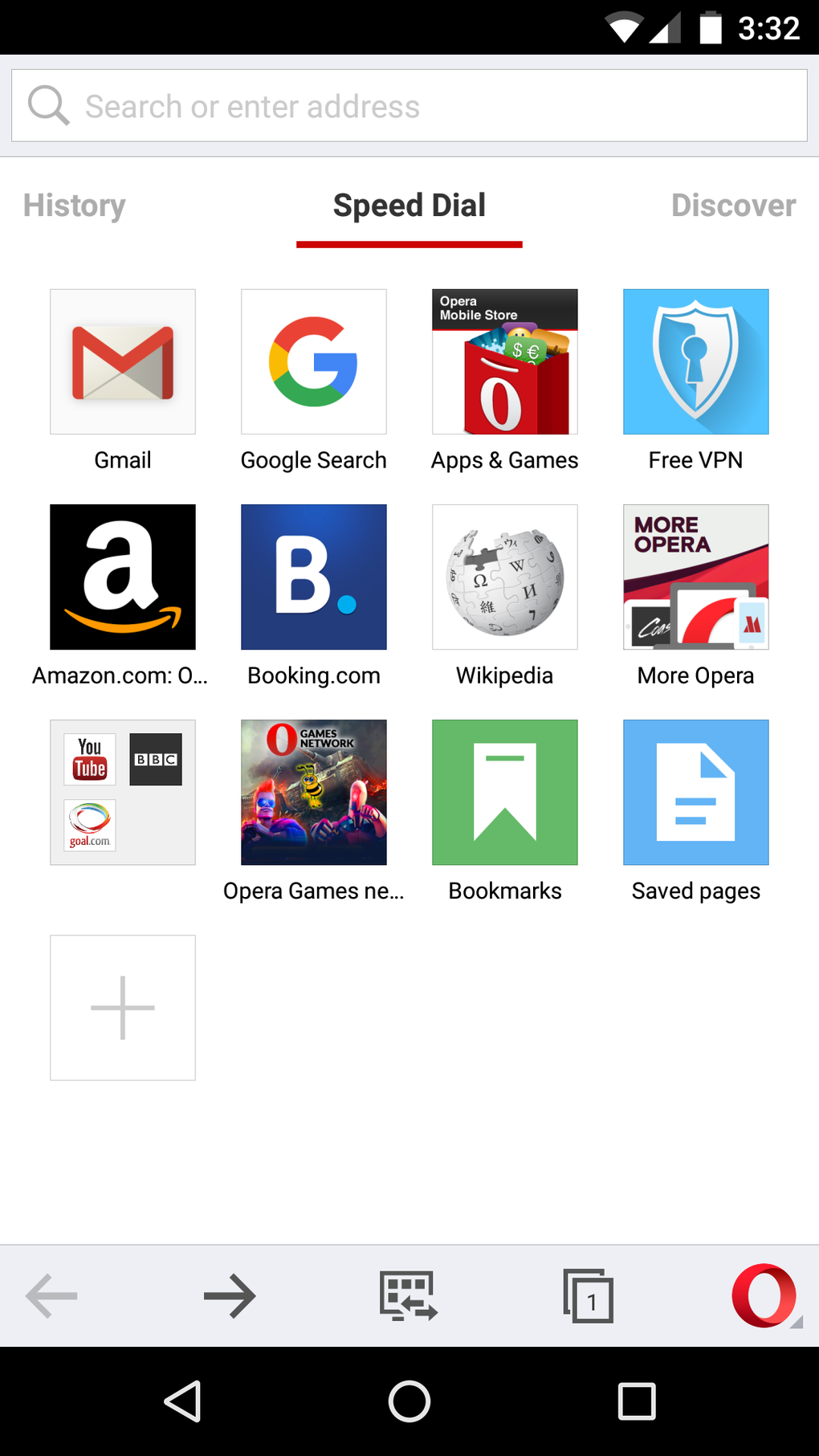
- Speed Dial with Folders: Provides one-click access to favorite websites using customizable icons. Users can organize shortcuts into folders by dragging icons, offering a highly intuitive navigation experience similar to iOS.
- Discover Section: Delivers curated content from various sources based on user interests and location, covering categories such as technology, health, sports, and food.
- Off-Road Mode: Compresses web content through Opera’s servers, significantly improving load times on slow networks like 2G and reducing data usage.
- AI-Powered Chatbots: Integrates ChatGPT and ChatSonic for real-time interaction, enabling users to summarize articles, draft social media posts, and generate text-based content directly within the browser.
- Text-to-Image Generation: Powered by ChatSonic, this feature allows users to create visual content from textual descriptions, enhancing creative workflows.
- Ad Blocker: Blocks intrusive advertisements, ensuring a cleaner and faster browsing experience.
- Private Safe Browsing: Protects user privacy with secure browsing modes and anti-phishing technology.
- Secure Clipboard for Crypto: Prevents clipboard hijacking by safeguarding cryptocurrency addresses and private keys during copy-paste operations.
- Offline Viewing: Allows users to save pages for access without an internet connection, ideal for travel or remote work.
- Pin to Home Screen: Enables quick access to frequently visited websites by pinning them directly to the device’s home screen.
- Save Data & Data Compression: Reduces overall data consumption through intelligent compression and optimization techniques.
These features collectively support efficient multitasking, enhanced privacy, and improved content accessibility. For example, a student can use the Discover section to find educational resources, enable Off-Road mode while commuting, and save articles for offline review—all within a single, cohesive interface.
User Interface, Workflow & Performance
The user interface of Opera Browser is clean, modern, and highly functional. Navigation is intuitive, with the Speed Dial serving as the default home screen. Users can swipe left to access browsing history or right to view the Discover feed.
Tab management is streamlined, with larger thumbnails and smooth swiping between open tabs. The context menu, accessible via long-press, offers practical options such as opening links in new tabs or saving images. The workflow is optimized for touch-based interaction, minimizing taps and maximizing efficiency.
Performance is generally fast, especially in Off-Road mode, thanks to the WebKit rendering engine and built-in compression technology. While exact performance metrics were not specified, the browser appears to handle standard web content effectively. The developer did not provide detailed resource usage information, but based on general behavior, the app maintains stable operation under typical conditions.
Stability is reinforced by regular security updates and support for modern web standards. No reported crashes or bugs were mentioned in the provided data. Users can expect consistent responsiveness across devices meeting the minimum system requirements.
Compatibility & System Requirements
Opera Browser for Android is compatible with devices running Android 5.0 and later. The app supports a wide range of hardware configurations, though specific CPU or RAM requirements were not listed. Installation size is not specified in the provided input.
The browser leverages the WebKit rendering engine and supports numerous web standards, including HTML5, CSS3, JavaScript, WebRTC, WebGL, and modern media formats such as MP4, WebM, AVIF, HEVC, and H.265. It also supports advanced features like Service Workers, IndexedDB, Web Workers, and Web Components. Compatibility with subtitle formats and audio/video codecs is extensive, covering SRT, ASS, VTT, DVB, Teletext, and closed captions.
The developer did not specify exact system requirements, and performance observations are based on general software behavior patterns. Users are advised to ensure their device meets the minimum Android version requirement for optimal functionality.
Pros and Cons
Pros
- Fast page loading, especially in Off-Road mode
- Minimalist, user-friendly interface with Speed Dial and folders
- Strong data compression and savings
- Integrated AI chatbots and text-to-image generation
- Robust privacy features, including secure clipboard and phishing protection
- Support for offline browsing and home screen pinning
- Wide compatibility with modern web standards and media formats
Cons
- No support for Flash or Flash Video content
- Some advanced features may require an internet connection
- Exact system requirements were not listed
- AI features are available in early access, may have limitations
FAQ Section
Is Opera Browser safe to use?
Yes, Opera Browser includes built-in security features such as phishing protection, private browsing mode, and a secure clipboard for cryptocurrency users, enhancing overall safety during online activities.
Can I use Opera Browser offline?
Yes, users can save web pages for offline viewing, allowing access to content without an active internet connection.
Does Opera Browser support AI tools?
Yes, the browser includes AI-powered chatbots (ChatGPT and ChatSonic) and features like AI prompts and text-to-image generation, available in early access.
What operating systems does Opera Browser support?
Opera Browser is designed for Android devices running Android 5.0 or later.
Is the browser free to download and use?
Yes, Opera Browser is available for free download and use, with optional premium features potentially available through future updates.
Final Thoughts + CTA
Opera Browser stands out as a powerful, feature-rich mobile browser that balances speed, privacy, and innovation. Its combination of data-saving technology, modern UI, and cutting-edge AI integration makes it a compelling choice for Android users across various use cases. Whether you're browsing on a slow network, managing digital assets, or creating content, Opera delivers a reliable and efficient experience.
The inclusion of AI-driven tools sets it apart from traditional browsers, positioning it at the forefront of evolving web technologies. For users seeking a fast, secure, and intelligent browsing solution, Opera Browser is a top-tier option. Download Opera Browser now and experience the future of mobile web browsing.






.png)
